Project Overview
Hangsha is a calendar service for finding and managing extracurricular events at Seoul National University. We started from the problem that the existing platform made event information hard to browse, and added calendar views, filtering, bookmarks, timetable integration, and memo features.
I implemented the backend flow that collects and normalizes event data, then serves it through monthly calendar, daily list, search, and detail APIs. I also reflected user interest categories and excluded keywords in the results, and separated the crawler into a batch job so the data could be updated regularly.
What I Did
- Designed and maintained the overall DB schema, and documented the crawling logic and APIs for team collaboration.
- Implemented event APIs such as monthly calendar, daily event list, event search, and event detail lookup.
- Implemented sorting and filtering logic based on user interest categories and excluded keywords.
- Analyzed list/detail pages on the SNU extracurricular site and parsed event information and individual sessions.
- Stored event images and images inside detail HTML in OCI Object Storage, then replaced the image paths inside the saved HTML.
- Separated the crawler into a batch module and adjusted it for a Docker/Kubernetes CronJob based recurring execution structure.
- Handled issues such as duplicated events, missing-session events, SQL lookup errors, and parsing before the detail page finished loading.
Design Challenge
The first thing to solve was turning event data from an external site into a shape that matched our service's query flow. After collecting data from list and detail pages, I normalized event periods, application periods, session information, recruitment status, and organizer data to fit the DB schema. I also organized query conditions so the same rules could be used across monthly calendar, daily list, search, and detail APIs.
I also made event sorting and filtering change based on user interest categories and excluded keywords. The earlier query logic mainly looked at event activity dates, so I added application-period conditions too, reducing cases where events were missing from the calendar or list.
In the operating environment, we could not just reset the DB and crawl everything again whenever the schema changed. So I separated seed data that should be managed by migrations from event data that keeps changing with the external site. For matching old and new data, I avoided depending on auto-increment IDs and used more stable values such as application links, event periods, and session information.
Preview
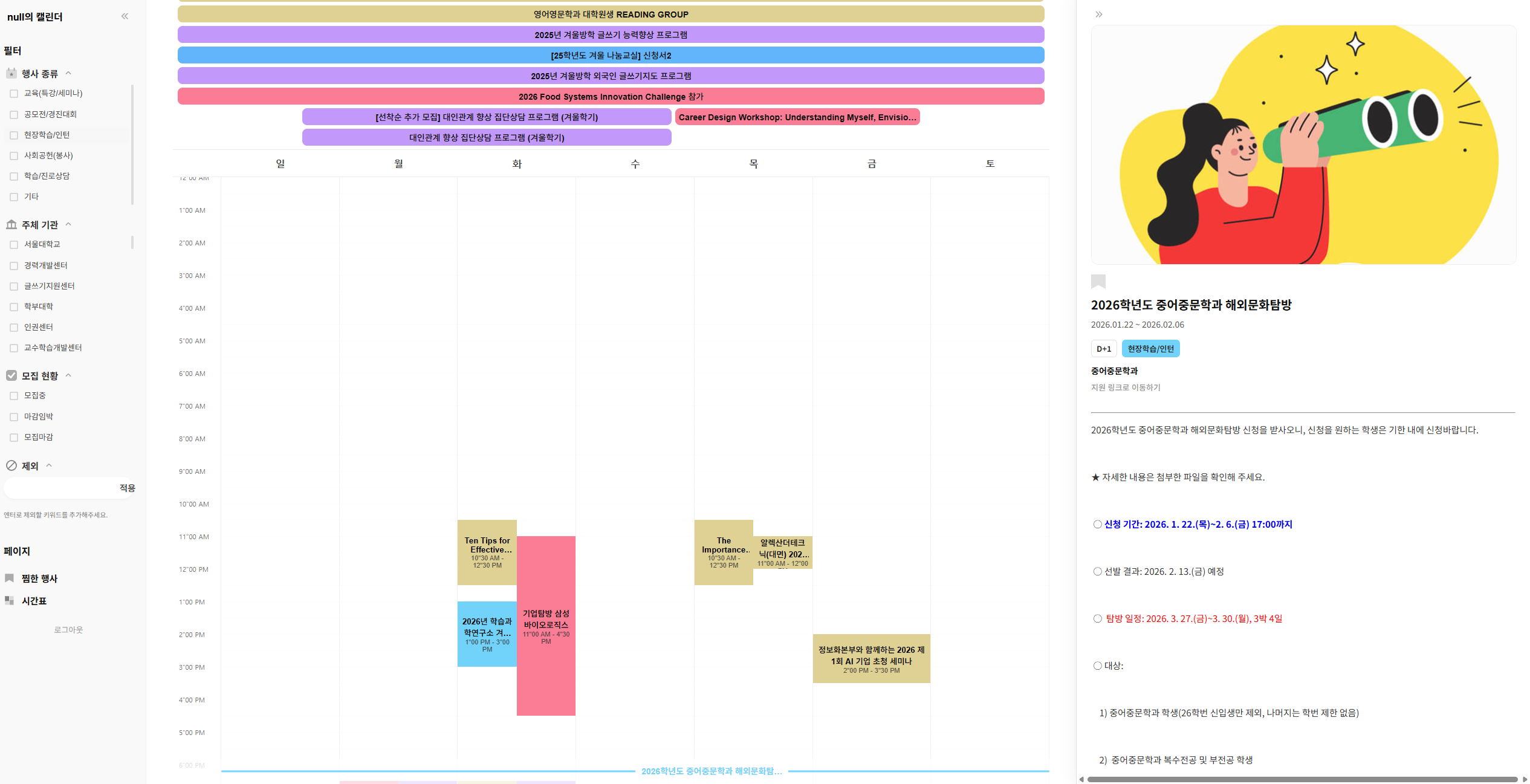
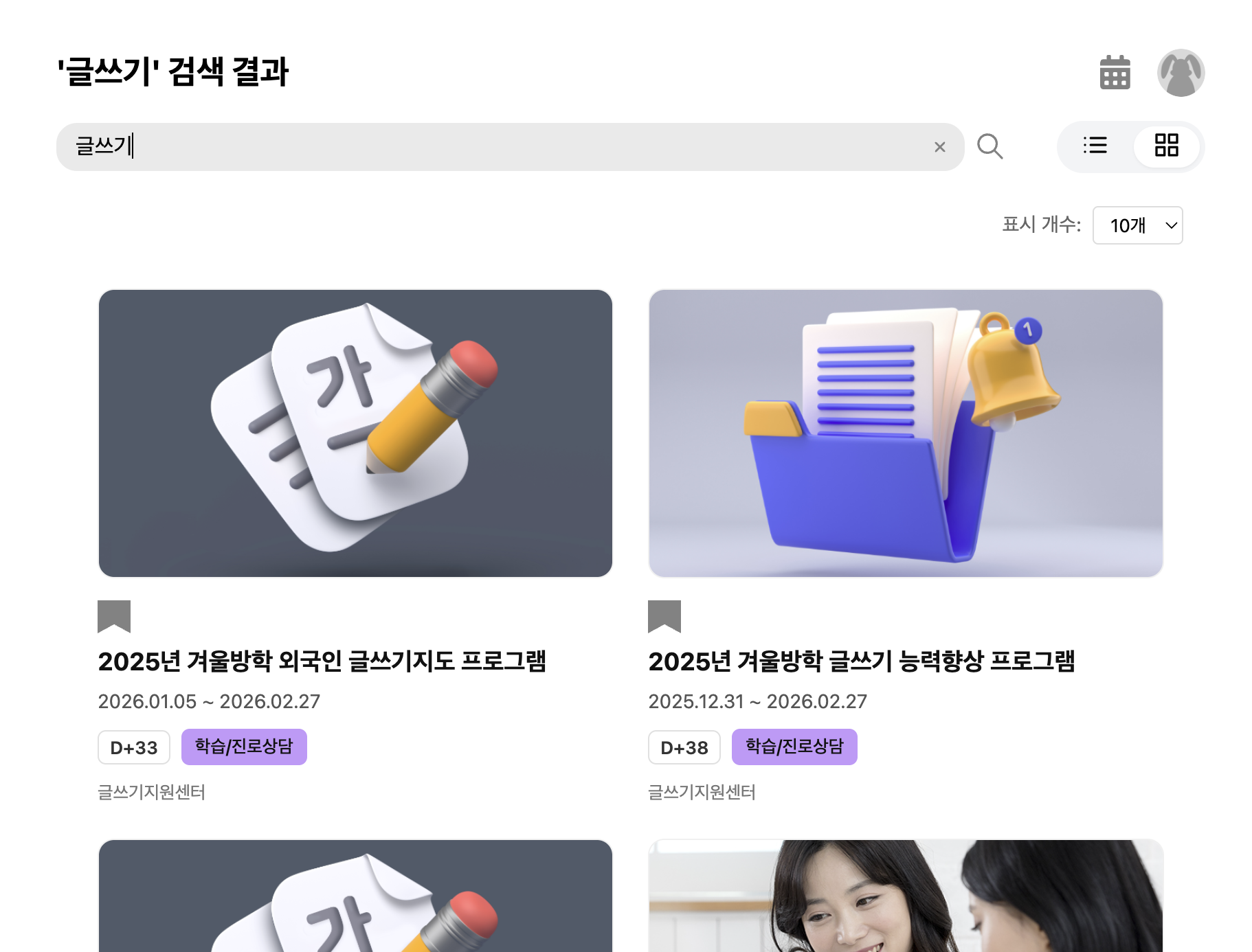
Calendar-centered screens for event browsing, filtering, and personalized use.